
Customizable Virtual Backgrounds
Virtual backgrounds are a fun way to bring some personality to any video call, but like any Lessonspace feature, we've built it with teaching in mind. Space leaders have full control over who can use backgrounds, and which backgrounds they can use. Organizations can set a default branded background to ensure consistency across classes, and teachers can allow and disallow background permissions via the dashboard before classes.
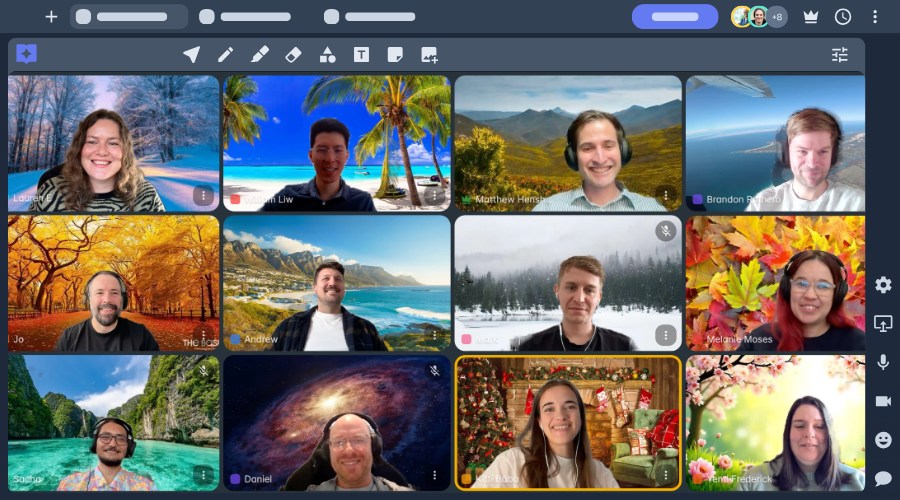
Use the tool for themed classes (in our featured image on this page, for example, the Lessonspace team has selected their favorite season), hide noisy or distracting backgrounds, protect privacy, ensure a professional branded look and feel across your classes, or just to add a pop of color to your classes.
Default options include classroom scenes, images from nature, fun cartoon options, or solid colors. If allowed, users can also upload their own images.
Get started with our Virtual Background tutorials
Check out our help docs for details on all Lessonspace features.
Browse help docsVirtual Background Features →
Custom Image Uploads
Upload custom graphics, branding, or themed backgrounds to tailor the Space to your brand identity.
Digital Lobby Preview
Set up and test your background in the pre-lesson lobby before joining the live session.
Admin Controls
Admins can set who is able to use background blur, virtual backgrounds, or customized backgrounds in their Spaces.
One-Click Background Blur
Instantly soften your background to conceal home environments and eliminate visual clutter.
Multi-Device Compatibility
Works seamlessly across desktop, laptop, and tablet webcams without requiring browser plugins or software downloads.
Add Organization-Wide Branding
Admins can set a virtual background for everyone in the organization.
Free on Standard Plans
Virtual backgrounds are included in all standard Lessonspace plans at no extra cost.
Preset Images Available
Choose a background from the available images.
Frequently Asked Questions
What are virtual backgrounds in Lessonspace?
Virtual backgrounds allow tutors and students to blur their real-world surroundings or replace them with custom and preset images during video calls.
Do I need to install software or green screens to use virtual backgrounds?
No. Lessonspace virtual backgrounds run directly in your browser using smart background detection. You do not need software downloads, extensions, or physical green screens.
Can tutoring organizations upload their own branded backgrounds?
Yes! Admin accounts can upload custom images featuring company branding, logos, and designs so that tutors present a consistent, professional brand during sessions.
Can I try Lessonspace virtual backgrounds for free?
Yes. You can test virtual backgrounds and all other Lessonspace features with a 14-day free trial. Visit our pricing page to explore available plans.